
Aero Check
Designing an AI-Assisted Validation Tool That Increased Processing Speed by 3.3×
As a consultant, I worked on a pilot project for Airbus to demonstrate how AI could assist in validating complex manufacturing diagrams. The goal was to explore how AI could reduce manual effort by identifying missing or inconsistent information and supporting engineers with a faster, more reliable validation workflow.
Revamping a medical product for the US market to ensure ADA compliance and drive wider adoption.
My client, who offers a Medicare product suite for the U.S. market, was facing challenges because their offerings X not ADA-compliant. As the UX Lead on this project, I led the redesign of their flagship medical product and conducted UAT with real users of assistive technologies who have visual disabilities.
Client
Airbus
Duration
4 Weeks
Industry
Aviation
Scope of Work
AI-Driven
Enterprise Saas
No-code
Objective
Validating Manufacturing Diagrams for Airbus.
Engineers previously validated every manufacturing diagram manually, comparing drawings against bill-of-material (BOM) data. The objective was to reduce validation time by up to 70% by automating repetitive comparisons, while ensuring every AI recommendation remained transparent, reviewable and under human control.
3.3X Faster
Faster turnaround validating complex manufacturing diagrams against the bill of materials, compared to the fully manual workflow.
My Process
Working on rapid MVP builds meant balancing speed with clarity. My process moved from understanding requirements to validating storyboards with stakeholders, designing high-fidelity prototypes within FlutterFlow's constraints, and closing the loop with final reviews before handoff.
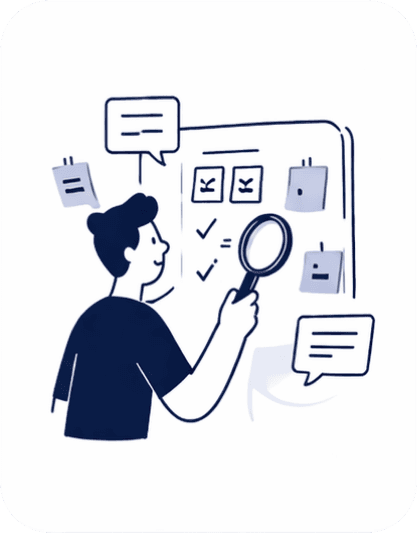
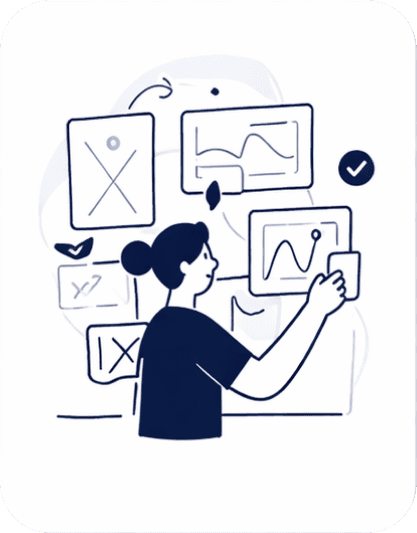
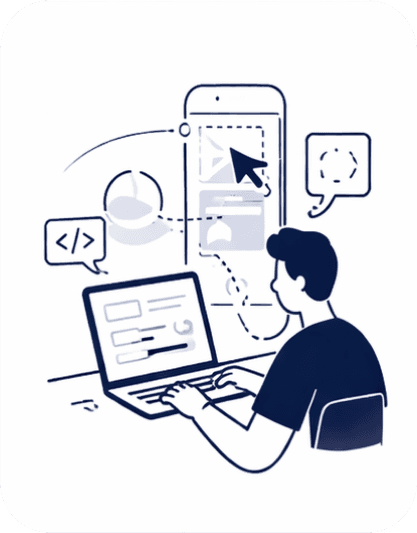
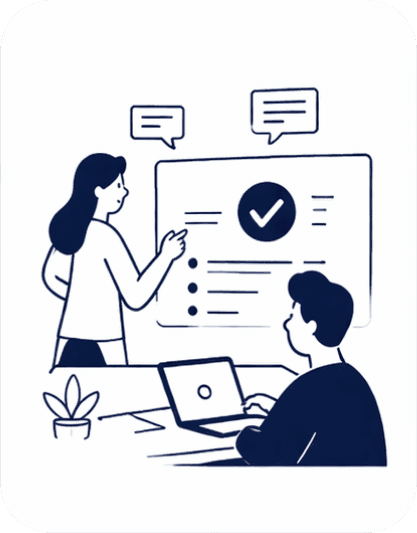
Requirement Analysis
Reviewed requirement docs to understand goals, users, and constraints.
Storyboard Validation
Created and showcased storyboards to align on user flow and demo expectations.
Prototype Design
Designed interactive prototypes and collaborated with developers to build in FlutterFlow.
Final Review & Sign-off
Conducted final walkthrough with stakeholders and incorporated feedback.
My Process
Working on rapid MVP builds meant balancing speed with clarity. My process moved from understanding requirements to validating user with stakeholders, designing high-fidelity prototypes within FlutterFlow's constraints, and closing the loop with final reviews before handoff.
Requirement Analysis
Reviewed requirement docs to understand goals, users, and constraints.
Workflow Validation
Mapped the primary workflow alongside key AI scenarios and edge cases to validate every decision path before design.
Prototype Design
Designed interactive prototypes and collaborated with developers to build in FlutterFlow.
Final Review & Sign-off
Conducted final walkthrough with stakeholders and incorporated feedback.
Interaction Workflow
To validate the solution before designing the interface, I consolidated the primary review flow and four critical AI-assisted scenarios into a single interaction workflow. This artifact helped verify decision paths, edge cases, and system behavior before moving into high-fidelity design.
I chose to represent the solution as a single interaction workflow because, in a typical 30-minute stakeholder review, it's difficult to walk through multiple user journeys, user flows, and edge cases individually. Bringing everything together into one diagram made it easier to communicate the complete interaction model and ensure everyone had a shared understanding of the product.

The workflow illustrates one primary review process alongside four supporting scenarios: missing values, AI-confirmed suggestions, manual overrides, and re-review before submission. Bringing these together in a single map helped align product, design, and engineering before prototyping.
How I Proposed AX Principles to Build User Trust.
Through stakeholder interviews and user feedback, I found that trust was the key adoption barrier. Engineers valued AI assistance, but only when they could understand its recommendations, validate its reasoning, and remain accountable for every decision.
01 · Contextual Feedback
When the system detected a mismatch, such as a part number in the manufacturing diagram not matching the Bill of Materials (BOM), I highlighted the exact region in the diagram and displayed the conflicting BOM entry alongside it. Engineers could immediately validate the issue without searching through lists or switching screens.

02 · AI Transparency and Explainability
When the system automatically resolved missing information by retrieving data from another source file, I surfaced the action together with its source. Engineers could review, confirm, or reject the AI recommendation instead of relying on silent automation.

03 · Human AI Handoff
Instead of showing a generic "Needs Review" state, I displayed the validation steps performed, the data sources consulted, and why the issue remained unresolved. Engineers could continue from where the AI stopped instead of repeating the investigation.

Wireframe to High Fidelity
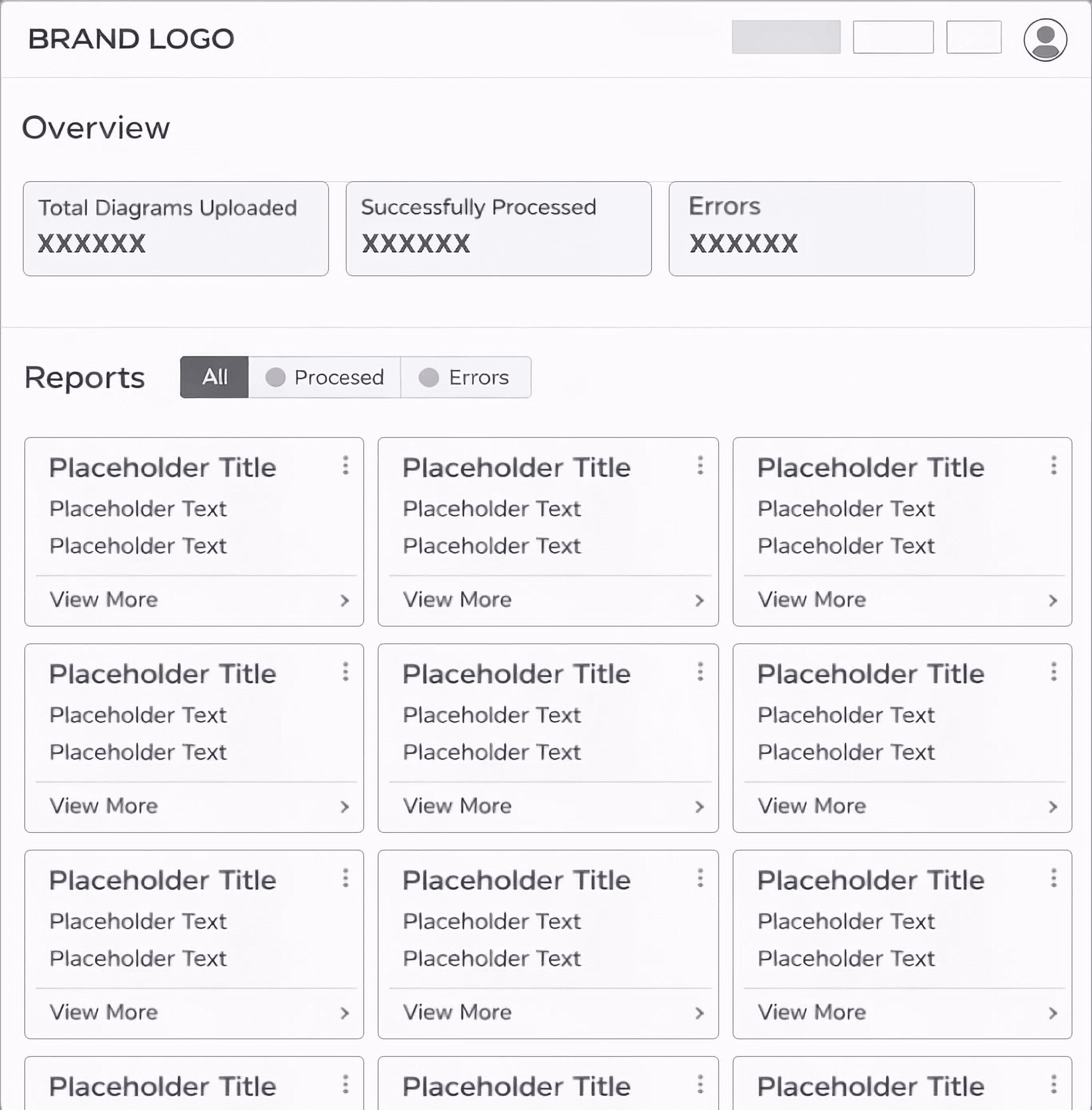
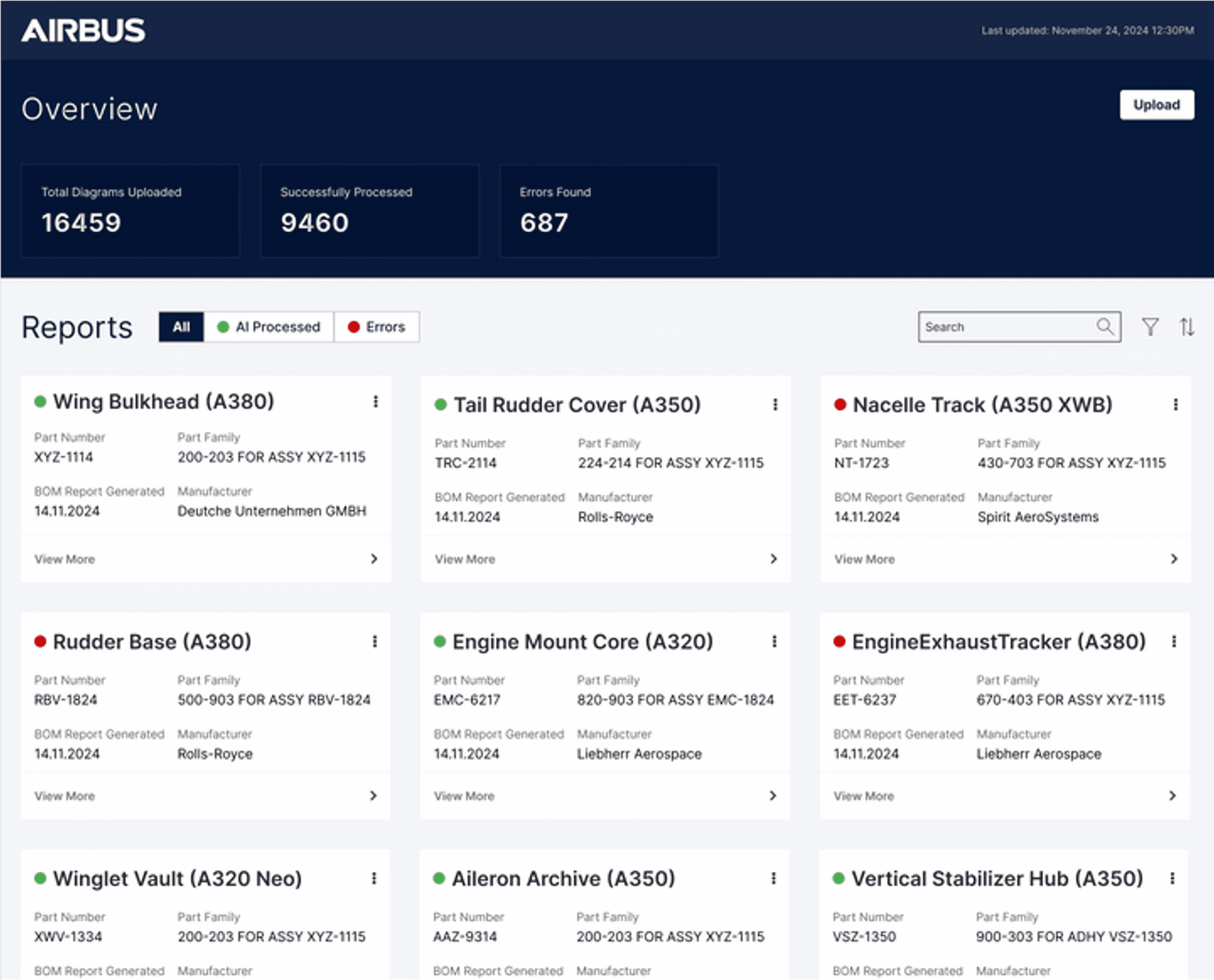
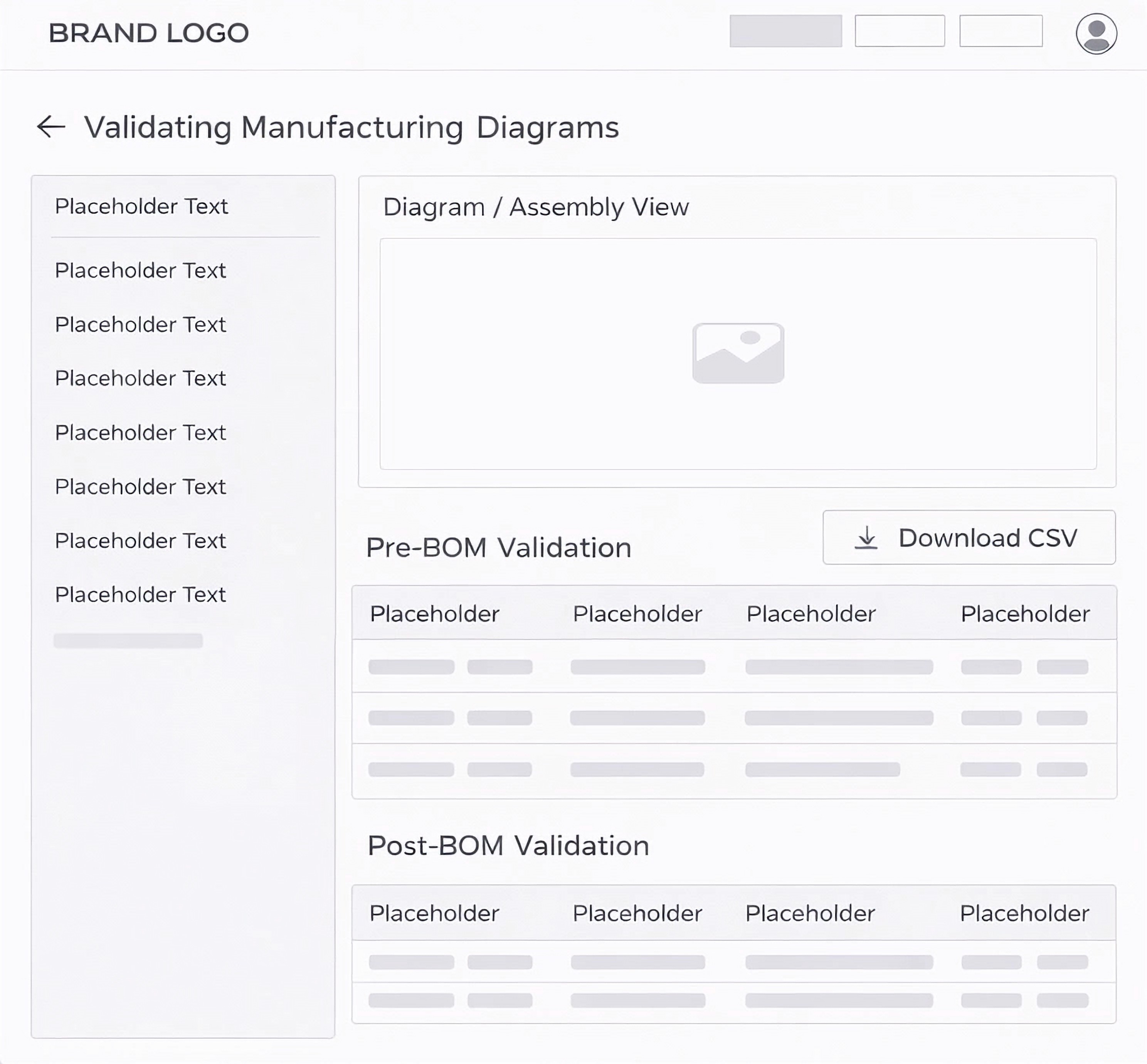
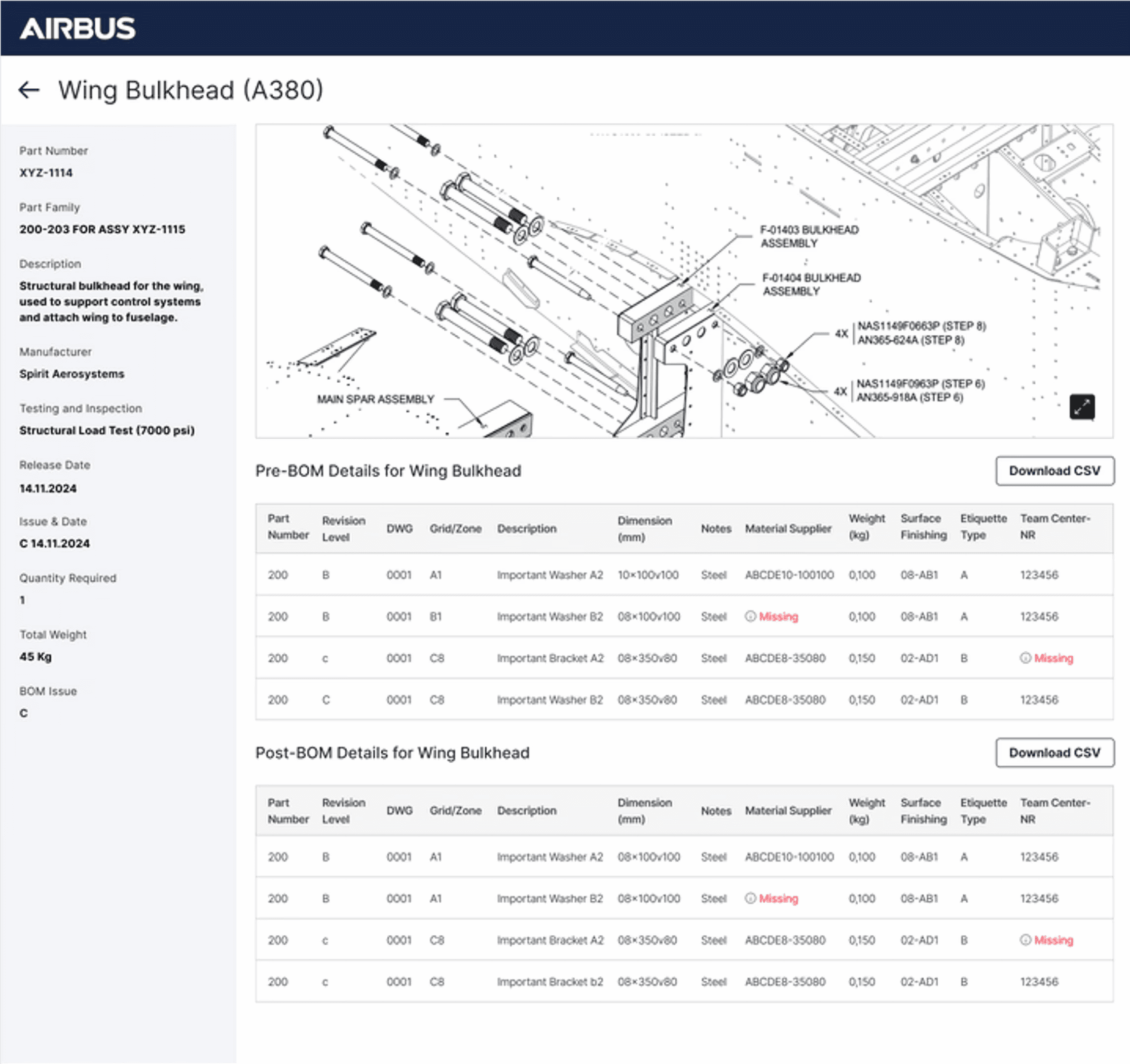
For this project, we began by creating quick wireframes to ensure alignment and shared understanding across the team. Once aligned, we developed high-fidelity Figma prototypes, all while keeping in mind the constraints of FlutterFlow, the no-code platform we used to deliver the final product. This ensured the design was both realistic and achievable from concept to final build.
Wireframe to High Fidelity
For this project, we began by creating quick wireframes to ensure alignment and shared understanding across the team. Once aligned, we developed high-fidelity Figma prototypes, all while keeping in mind the constraints of FlutterFlow, the no-code platform we used to deliver the final product. This ensured the design was both realistic and achievable from concept to final build.
Prompt to Code
For the project, we originally built it in FlutterFlow, but for the purpose of showcasing it in my portfolio, I created a working prototype using Claude.
Prompt to Code
For the project, we originally built it in FlutterFlow, but for the purpose of showcasing it in my portfolio, I created a working prototype using Claude.
Explore Other Client Projects


Reimagining Applications with AI
PitchHub
Google's sales enablement team creates hundreds of MVPs each quarter, demonstrating how Vertex AI integrates with diverse applications. As consultants, we ran a pilot project to prove we could take over this process, delivering scalable MVP development for Google.
Client
Google (Vertex AI – Sales Enablement Team)
Duration
2 weeks
Industry
AI & Cloud Computing
Scope of work
SaaS
AI-Driven
No-code
Validating Manufacturing Diagrams for Airbus.
One of the key use cases to showcase Vertex AI’s real impact was with Airbus. We applied AI to streamline the validation of complex, legacy manufacturing diagrams. The system cross-referenced each diagram with the bill of materials and part data, automatically completing missing details. When gaps couldn’t be resolved, the AI clearly highlighted them on both the diagram and validation tables, ensuring accuracy, efficiency, and production readiness.
My Process
Working on rapid MVP builds meant balancing speed with clarity. My process moved from understanding requirements to validating storyboards with stakeholders, designing high-fidelity prototypes within FlutterFlow's constraints, and closing the loop with final reviews before handoff.
Requirement Analysis
Reviewed requirement docs to understand goals, users, and constraints.
Storyboard Validation
Created and showcased storyboards to align on user flow and demo expectations
Prototype Design
Designed interactive prototypes and collaborated with developers to build in FlutterFlow
Final Review & Sign-off
Conducted final walkthrough with stakeholders and incorporated feedback.
Storyboard
The storyboard was carefully designed to map out each step of the user's actions alongside the corresponding generative AI responses. At every stage, we outlined what the user would do and how the AI would assist, whether by validating data, completing missing parts, or highlighting gaps.
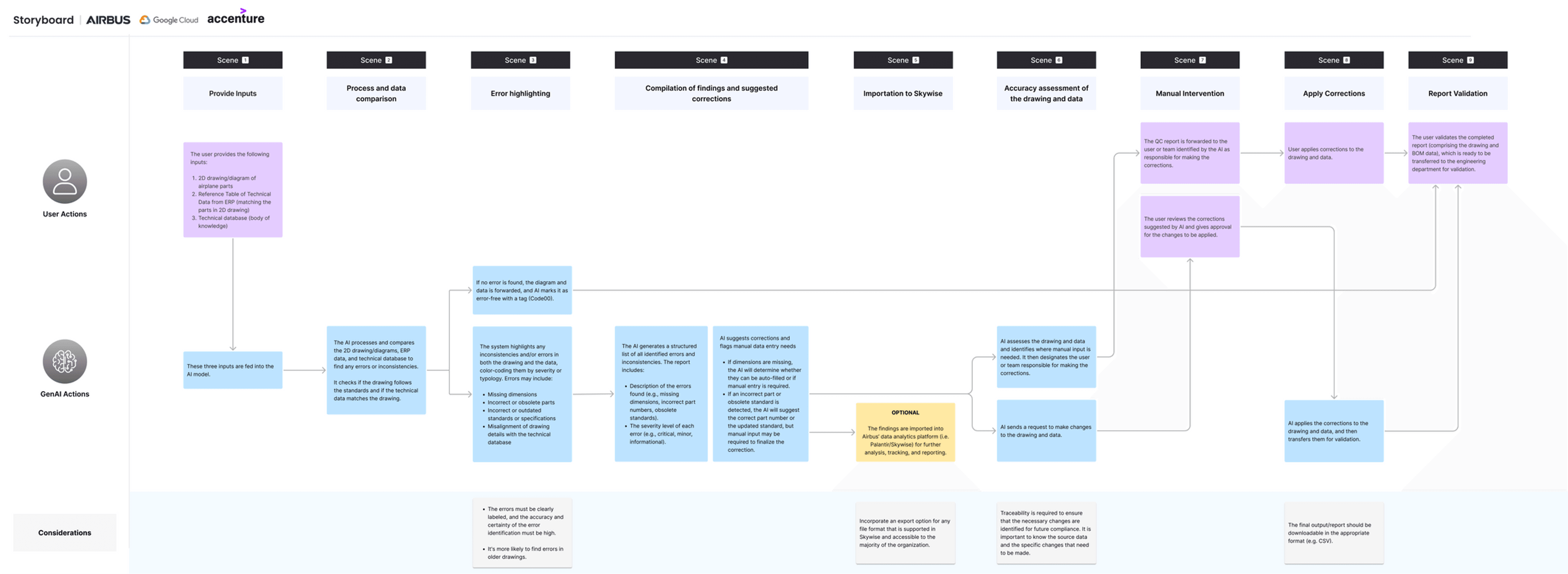
*Replica of the original project artifact, unchanged to reflect real delivery under time constraints. Use the custom zoom to view research text.
Wireframe to High Fidelity
For this project, we began by creating quick wireframes to ensure alignment and shared understanding across the team. Once aligned, we developed high-fidelity Figma prototypes, all while keeping in mind the constraints of FlutterFlow, the no-code platform we used to deliver the final product. This ensured the design was both realistic and achievable from concept to final build.
Prompt to Code
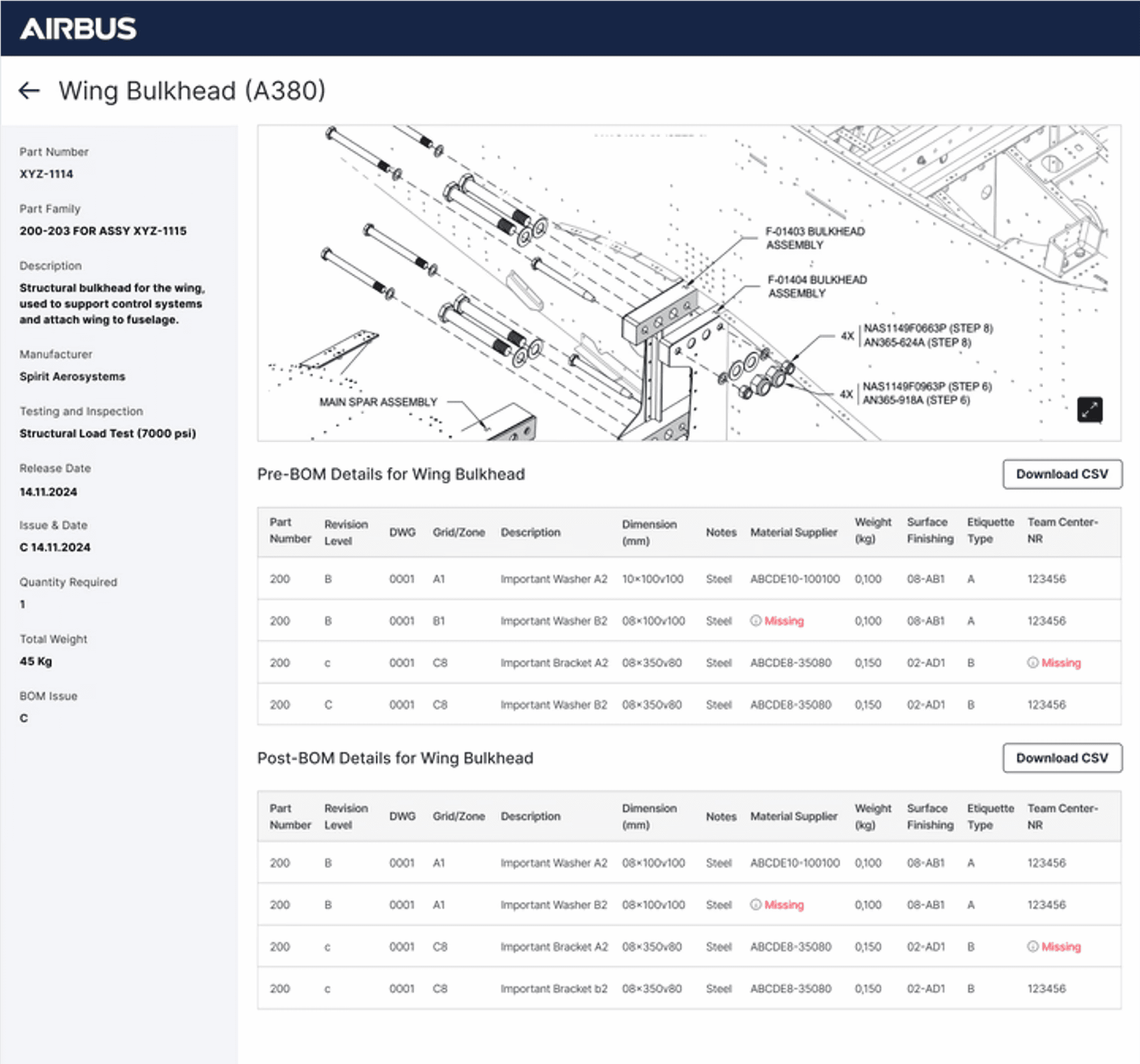
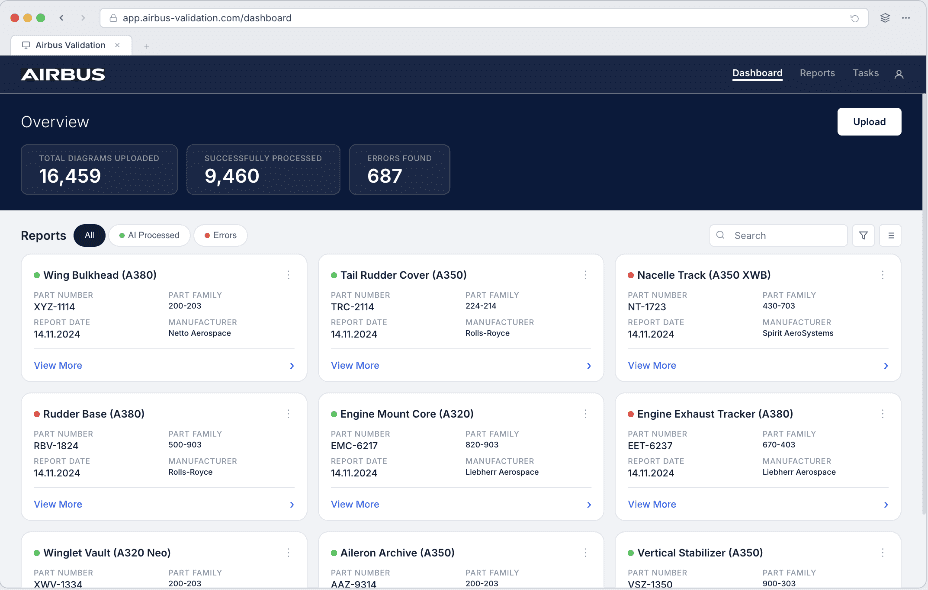
For the project, we originally built it in FlutterFlow, but for the purpose of showcasing it in my portfolio, I created a working prototype using Claude.
Prototype features & interactions
Filter Part Cards → Sort by AI processed, errors, or all.
Open Part Details → Click on any card to view detailed screen.
Upload Flow → Simulate uploading diagrams and BOM data.
Inspect Diagram → Identify AI-marked missing information.
Cross-Reference Tables → See issues mapped with reference IDs.
Scrollable Tables → Navigate Pre-BOM and Post-BOM data.
View Part Details Panel → Review part metadata in the side panel.
How I Built Trust in AI-Assisted Review Systems
Through stakeholder interviews and user feedback, I found that trust was the key adoption barrier. Engineers valued AI assistance, but only when they could understand its recommendations, validate its reasoning, and remain accountable for every decision.
01.
Principle: Contextual Feedback
Present AI feedback within the user's visual context and workflow.
How I applied it
When the system detected a mismatch, such as a part number in the manufacturing diagram not matching the Bill of Materials (BOM), I highlighted the exact region in the diagram and displayed the conflicting BOM entry alongside it. Engineers could immediately validate the issue without searching through lists or switching screens.
02.
Principle: AI Transparency and Explainability
Make AI decisions, actions, and reasoning visible to users.
How I applied it
When the system automatically resolved missing information by retrieving data from another source file, I surfaced the action together with its source. Engineers could review, confirm, or reject the AI recommendation instead of relying on silent automation.
03.
Principle: Human AI Handoff
Provide sufficient context when AI requires human intervention.
How I applied it
Instead of showing a generic "Needs Review" state, I displayed the validation steps performed, the data sources consulted, and why the issue remained unresolved. Engineers could continue from where the AI stopped instead of repeating the investigation.
04.
Principle: Human in the Loop Control
Ensure users retain final control over AI assisted decisions.
How I applied it
I designed Confirm and Override as equally accessible actions with an optional rationale field. This enabled quick validation while creating a feedback loop to improve future AI performance.
Measurable Impact
3.3X Faster
Faster turnaround validating complex manufacturing diagrams against the bill of materials — compared to the fully manual workflow.
How I Proposed AX Principles to Build User Trust.
Through stakeholder interviews and user feedback, I found that trust was the key adoption barrier. Engineers valued AI assistance, but only when they could understand its recommendations, validate its reasoning, and remain accountable for every decision.
01 · Contextual Feedback
When the system detected a mismatch, such as a part number in the manufacturing diagram not matching the Bill of Materials (BOM), I highlighted the exact region in the diagram and displayed the conflicting BOM entry alongside it. Engineers could immediately validate the issue without searching through lists or switching screens.
02 · AI Transparency and Explainability
When the system automatically resolved missing information by retrieving data from another source file, I surfaced the action together with its source. Engineers could review, confirm, or reject the AI recommendation instead of relying on silent automation.
03 · Human AI Handoff
Instead of showing a generic "Needs Review" state, I displayed the validation steps performed, the data sources consulted, and why the issue remained unresolved. Engineers could continue from where the AI stopped instead of repeating the investigation.