Context
A Changing Job Market in the Age of AI
When I moved to Berlin and began my own job search, I noticed how diverse the job market was, with people from different cultural, educational, professional, and language backgrounds.
At the same time, AI was changing how candidates were screened and evaluated, from AI-powered CV screening to AI-led interviews.

Me (blue and red printed T-shirt) in discussion with fellow job seekers and career mentors at a Berlin employment meetup, listening to diverse perspectives on navigating the German job market.
Problem
Job Searching Has Become a Process to Manage
Every application came with its own requirements, materials, and next steps.
Context was constantly recreated across CVs, cover letters, applications, and interviews.
As applications multiplied, the effort wasn't just finding jobs. It was managing everything around each application.

Research
Understanding the Job Search Journey
Before exploring solutions, I wanted to understand how people actually manage their job search. I captured recurring behaviors, frustrations, and workarounds through informal conversations with job seekers and recruiters.
Analysis
From Insights to Product Decisions
Conversations with job seekers revealed four recurring themes. Rather than solving every problem directly, I focused on the areas where Tracka could create the greatest impact within its own experience.
01 · Personalized Applications
"I have to tweak my CV for every job, and in Germany the cover letter matters too. Sending the same one everywhere just doesn't work anymore"
Insight- Tailoring applications was the most time-consuming part of the job search. Users needed faster ways to personalize resumes and cover letters without compromising quality.

02 · ATS Optimization
"Everyone keeps talking about ATS these days... before I apply, I compare my CV with the job description using AI"
Insight- Candidates increasingly relied on ATS checkers and manually compared resumes with job descriptions to improve their chances of reaching recruiters. Identifying the right keywords had become an additional step in every application.

03 · Unified Workspace
"By the time someone emails me back, the job posting has disappeared, I can't remember which CV I sent, where I saved the cover letter, or what the role was actually looking for."
Insight- As applications progressed, important information became scattered across job portals, emails, folders, spreadsheets, and documents. Reconstructing the full context of an application often took longer than expected, especially during interviews and follow-ups.

04 · Reusable Context
"I already uploaded my CV... why am I filling in my work experience, education, and address all over again? After a few applications, those long forms get really tiring."
Insight- When a user provides context once, that context should carry forward and be reused wherever it is relevant. Users shouldn’t have to repeatedly re-enter or re-explain the same information at different steps or across different parts of the product.

User Journey
Designing for Activation and Retention
Defined distinct paths based on the different needs of first-time and returning users. Comparing both journeys helped identify moments of uncertainty, opportunities to reduce friction, and design decisions that support long-term engagement.
Information Architecture
Defining the Information Hierarchy
I translated the journey into a clear information architecture, separating marketing, authentication, onboarding, and the core workspace.
First-time users move through onboarding before entering the product, while returning users can go straight to the workspace.

Design System to Markdown File
I translated the design system into structured documentation that AI could interpret, enabling reusable components, predictable layouts, and consistent outputs across the product.


Concept Exploration
Exploring Ways to Structure the Experience
I explored multiple ways to connect Tracka’s three core workflows and tested different navigation and information structures.This helped me narrow the exploration to the direction that provided the clearest structure while keeping the three core workflows connected.
Concept A: Data-First Tracker
A dense structure optimized for job management.

Concept B: Unified Navigation
Three core tools with shared navigation.
Concept C: AI-First Workspace
A conversational hub connecting key tasks.

Concept Finalization
Selecting the Direction to Take Forward
I selected this direction based on three key considerations to ensure it best supported the overall job-search experience.
Workflow Continuity
How naturally users move between core tasks.
Information Clarity
How easily users understand and act on what matters.
Scalability
How well the structure supports a growing job-search workflow.
Concept B: Unified Navigation

I chose Concept B, the unified navigation approach, and developed it further, while incorporating elements from the other concepts wherever they added value.
Wireframing
From Concept to a Clearer Structure
With the concept finalized, I moved to wireframes, keeping three things in mind:
Information Hierarchy
Prioritized content and actions across each screen.
Interaction Flow
Defined how users move through key tasks and states.
AI Context
Captured the structure and behaviour needed to guide AI production.
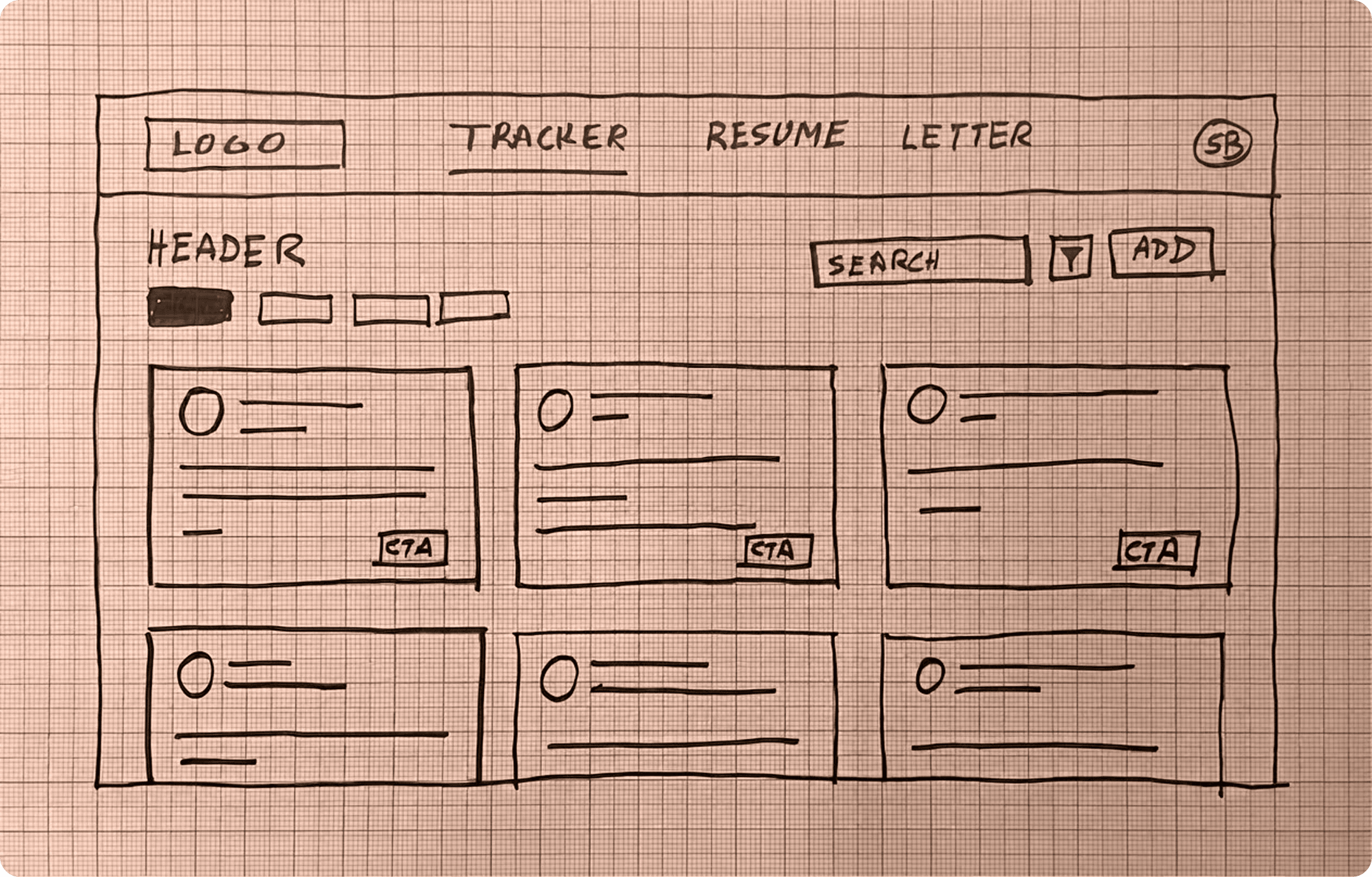
Concept Sketch

Lo-fi to Hi-fi
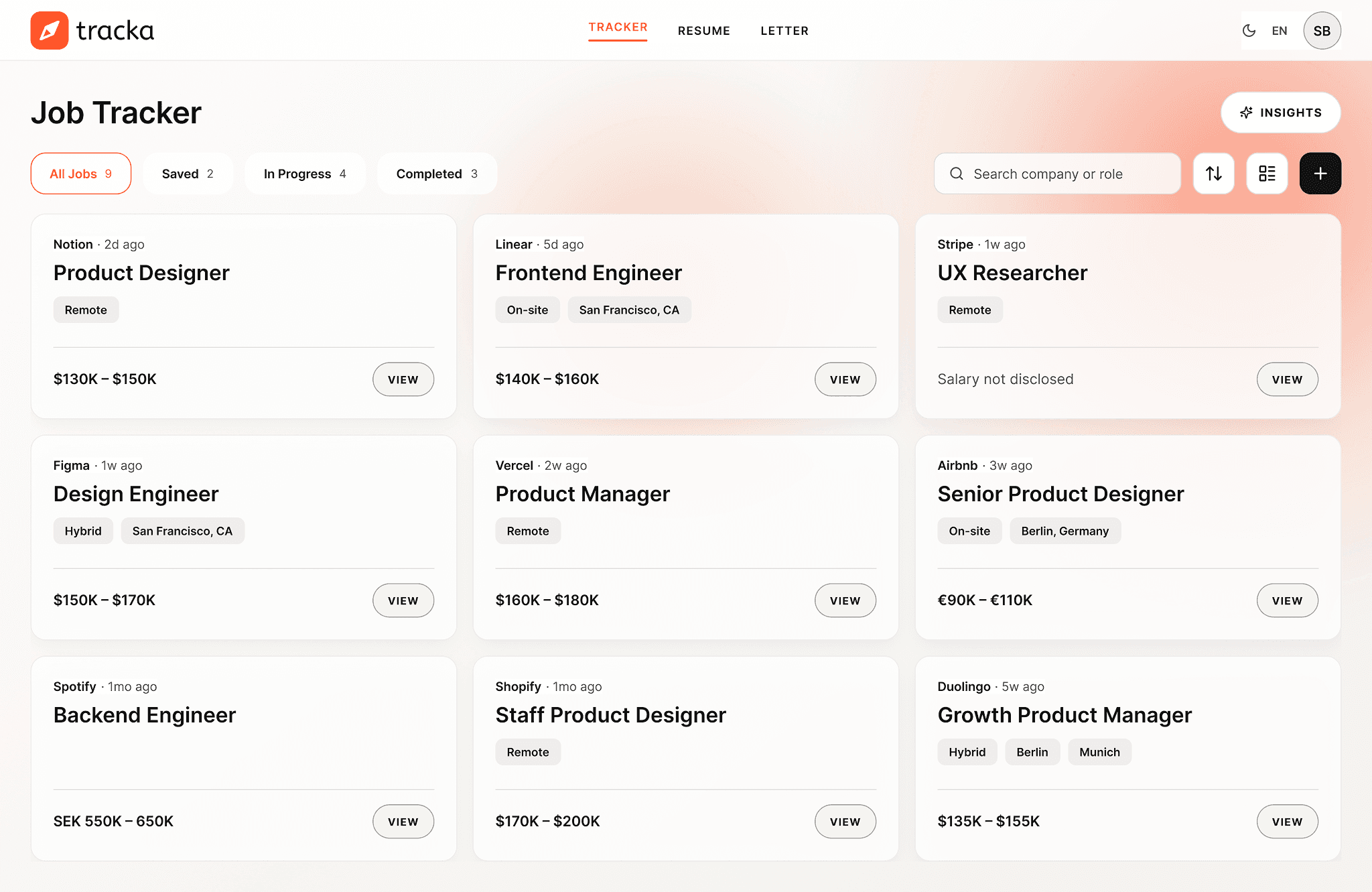
Applying the Design System to the Structure
At this stage, I moved from low-fidelity to high-fidelity, focusing on:
Visual Balance
Checked hierarchy, spacing, density, and composition.
Refinement
Adjusted the design system where the application revealed inconsistencies or visual issues.
System Fit
Assessed how well the design system translated across components, layouts, and light and dark modes.
Wireframe

High Fidelity
Design to Code
Building Production Ready Interface
At this stage, I moved from low-fidelity to high-fidelity, focusing on:


Technical Architecture
Building a Scalable Architecture
Rather than building custom infrastructure, I evaluated modern tools that could accelerate development while keeping costs low and maintenance minimal. The architecture prioritizes rapid iteration today, with the flexibility to replace individual services as the product scales.

Business Logic
Building a Consistent ATS Scoring System
The Problem - Tracka initially used an LLM to calculate ATS scores. Because the model could interpret the same CV and job description differently across runs, the same application would receive different scores.
The Decision - I separated AI interpretation from scoring. The LLM extracts the key requirements from the job description, while a Business Logic Engine applies fixed rules and weights to calculate the score.


Feedback
Testing out with Real Users
I combined continuous in-product feedback with moderated testing sessions to understand both the problems users reported and the friction I observed while they used Tracka.
In-Product Feedback
Users could report issues directly in Tracka, describe what they experienced, and attach screenshots. Submissions were sent to me by email.

Moderated Testing
I observed users completing key tasks, listened to their feedback, and captured moments of hesitation, confusion, and unmet expectations.

Feedback Synthesis
Mapping Feedback to the User Journey
I mapped reported issues and observed friction to the relevant stages of the journey. This helped me identify where problems occurred, understand their impact, and prioritise the changes that would improve the experience.

Design Trade-off
Choosing Reliability Over Automation
I wanted to make adding a job to the Tracker as effortless as possible, while keeping the experience automated, reliable, and consistent.
Original Approach
Users pasted a job URL. A crawler extracted the webpage content, and an LLM populated the job details.
The Challenge
Different job boards use different structures, making URL extraction unreliable and inconsistent.

Initial job add modal using URL-based extraction

Job details modal after extraction failure
Product Decision
Users paste the job description instead. The LLM extracts and populates the relevant job details automatically.
The Outcome
Job details could be extracted consistently, regardless of the source website.
Revised flow: users copy the full job description into Tracka for consistent job detail extraction.
Impact
Testing Tracka Against Familiar Workflows
I tested the same resume-tailoring task across three workflows to understand whether Tracka could reduce the time and effort required to adapt a resume for a specific job.
3 Users
Three participants from the same field of work and a similar age group.
3 Workflows
Tracka, plus two alternatives chosen based on the participants’ shared prior experience.
Same Task
Same job description, same starting resume, same AI assistance

Tracka Was Fast, And Refinement Can Make It Faster
The comparative test showed that Tracka reduced the time needed to create a tailored cover letter, while also revealing opportunities to streamline the workflow further.
33.2%
Faster than Word doc + AI
26.8%
Faster than Canva + AI
15 min
Median time with Tracka
3/3
Would use Tracka again
Screen capture from an impact assessment session, showing a user using Canva to tailor their CV.
Reflection
What I Learned While Building Tracka
Designing, building, and testing the product exposed challenges that only became visible during implementation. These experiences reshaped how I think about design systems, product logic, and product decisions.
01 · Layered Decision Making: Reliable products are built on clear fallback paths.
Building Tracka required defining product behavior for situations where a single rule wasn't enough. For example, deciding which theme the application should display meant evaluating multiple signals before reaching a final decision. This taught me to design layered decision paths that keep the experience predictable even when preferred inputs aren't available.


02 · Consistency & Reliability: Reliable products build more trust than clever features.
While designing the job tracker, I initially allowed users to add a job by pasting a job posting URL. Since different job boards use different page structures, universal URL extraction wasn't practical. Instead of forcing the feature to work everywhere, I redesigned the workflow so users paste the job description directly while the AI automatically extracts and fills the required fields. This reinforced that reliability creates more value than automation that only works in certain situations.


03 · Continuous Refinement: A design system evolves through continuous feedback.
While building Tracka with an AI coding assistant, I found that every new feature introduced new components, variants, and design refinements. Simply updating the design system in Figma wasn't enough because the AI also needed the latest design context to generate consistent interfaces. I learned to establish a feedback loop that kept both the design system and the AI aligned as the product evolved.