Farm.doc
Designing an AI-Assisted Validation Tool That Increased Processing Speed by 3.3×
As a consultant, I worked on a pilot project for Airbus to demonstrate how AI could assist in validating complex manufacturing diagrams. The goal was to explore how AI could reduce manual effort by identifying missing or inconsistent information and supporting engineers with a faster, more reliable validation workflow.
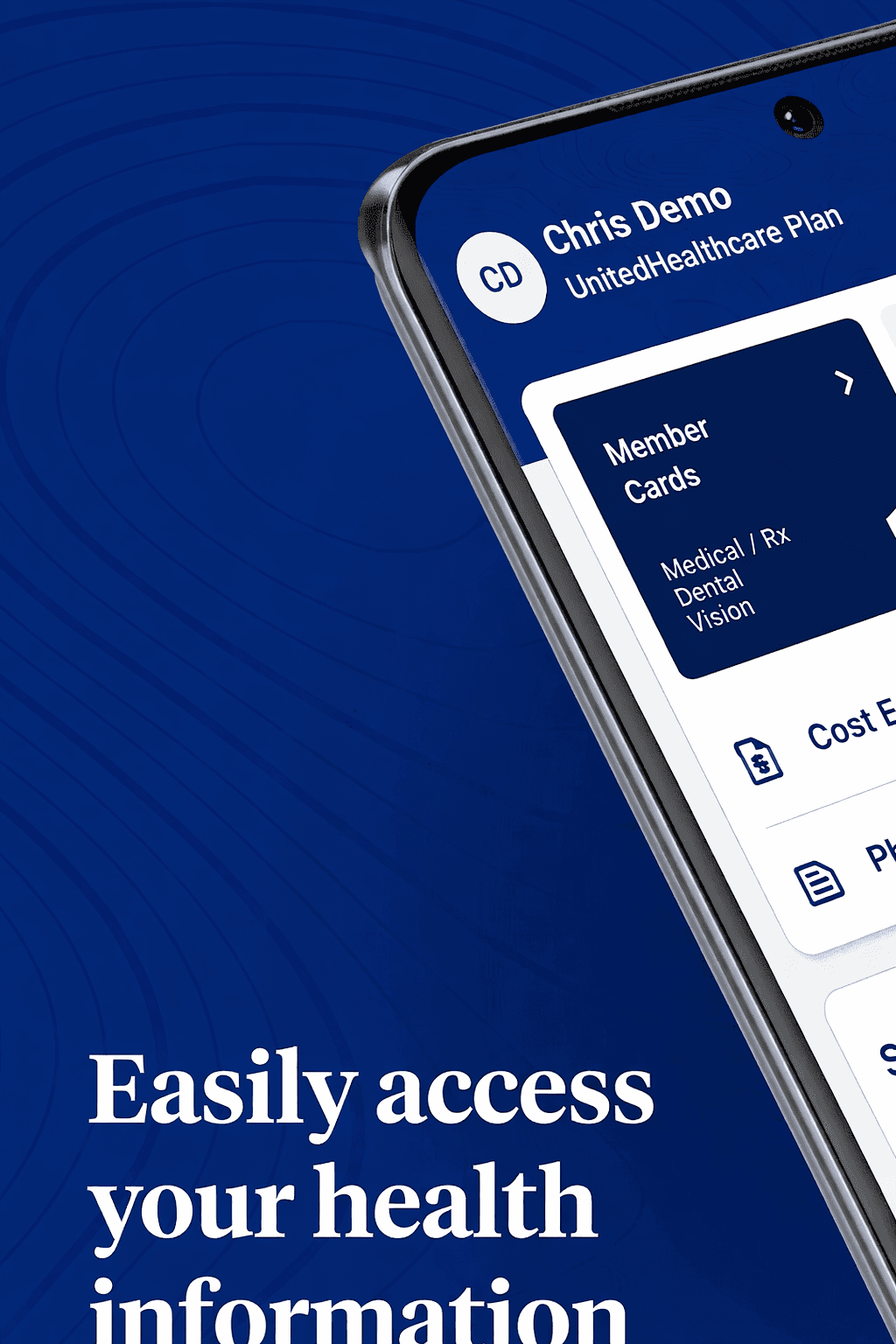
Revamping a medical product for the US market to ensure ADA compliance and drive wider adoption.
My client, who offers a Medicare product suite for the U.S. market, was facing challenges because their offerings X not ADA-compliant. As the UX Lead on this project, I led the redesign of their flagship medical product and conducted UAT with real users of assistive technologies who have visual disabilities.
Client
Airbus
Duration
4 Weeks
Industry
Aviation
Scope of Work
AI-Driven
Enterprise Saas
No-code
Objective
Making Manufacturing Diagram Validation Faster Without Compromising Engineering Confidence.
Engineers previously validated diagrams manually by comparing drawings against Bill of Material (BOM) data and supporting information. The repetitive process made validation time-consuming and required engineers to repeatedly cross-reference multiple sources. The objective was to reduce validation time by automating repetitive comparisons while ensuring every AI recommendation remained transparent, reviewable, and under human control.
Business Impact
Reducing Validation Time by 70%.
By shifting repetitive comparison work from manual checks to an AI-assisted workflow, engineers could spend less time searching and reconciling information and more time reviewing the results that require their expertise.
3.3X Faster
Streamlined diagram validation by reducing repetitive manual comparisons across drawings and Bill of Material (BOM) data.
Discovery
Understanding How Engineers Validate Manufacturing Diagrams
I spoke with engineers involved in diagram validation to understand how they review drawings, compare them against BOM and engineering data, and investigate discrepancies across supporting documentation.
Cross-Referencing Engineering Data
(01)
“...I need to check the drawing with the BOM and master data, especially the P/N, quantity and parameters. Sometimes I have to pivot between different data sets to understand where the deviation is coming from...”
-Design Engineer
Insight- Validation requires cross-referencing multiple engineering data sources and attributes, not just matching a part number.
Making Validation Traceable
(02)
“...when there is a missing or validation deviation in the Post-BOM, I want to know what was compared, which validation rules were applied...”
-Design Engineer
Insight- Engineers need a traceable validation trail showing what was checked, which rules were applied, and where human review is still required.
Establishing Document Relationships
(03)
“...for one part there can be the drawing, BOM and other technical data. I need to check the revision, configuration and document mapping before I know which information is valid for the component...”
-Design Engineer
Insight- Engineers need relationships between drawings, BOMs and technical documents to determine which data should be trusted.
Tracing the Source of AI Recommendations
(04)
“...if the AI suggests a different material, supplier or P/N, I need to see where it got the information from. I cannot just accept the suggestion if I can’t confirm the source data...”
-Design Engineer
Insight- AI recommendations need source-level evidence so engineers can assess and trust the suggested value.
Discovery
Understanding How Engineers Validate Manufacturing Diagrams
I spoke with engineers involved in diagram validation to understand how they review drawings, compare them against BOM and engineering data, and investigate discrepancies across supporting documentation.
01
“...I need to check the drawing with the BOM and master data, especially the P/N, quantity and parameters. Sometimes I have to pivot between different data sets to understand where the deviation is coming from...”
- Manufacturing Engineer
Insight: Validation requires cross-referencing multiple engineering data sources and component attributes.
01
“...before I call it a deviation, I need to check the REV and DWG against the Pre-BOM and Post-BOM. If they are not from the same revision or configuration, the comparison doesn't really tell me anything...”
- Manufacturing Engineer
Insight: Validation requires cross-referencing multiple engineering data sources and component attributes.
01
“...if the material or dimension is missing, I have to go back to the technical specification or the component information. Sometimes the value is there, but in another document, so I need to find the applicable source...”
- Design Engineer
Insight: Validation requires cross-referencing multiple engineering data sources and component attributes.
01
“...for one part there can be the drawing, BOM and other technical data. I need to check the revision, configuration and document mapping before I know which information is valid for the component...”
- Manufacturing Engineer
Insight: Validation requires cross-referencing multiple engineering data sources and component attributes.
01
“...if the AI suggests a different material, supplier or P/N, I need to see where it got the information from. I need the source data and the matching before I can confirm that the suggestion is correct...”
- Manufacturing Engineer
Insight: Validation requires cross-referencing multiple engineering data sources and component attributes.
01
“...when there is a Missing or a validation deviation in the Post-BOM, I want to know what was compared, which validation rules were applied and what has already been checked..”
- Technical Quality Engineer
Insight: Validation requires cross-referencing multiple engineering data sources and component attributes.
Analysis
Three Core Requirements for the Solution.
The analysis distilled the recurring needs across the validation process into three essential pillars for the solution.

Data Comparison
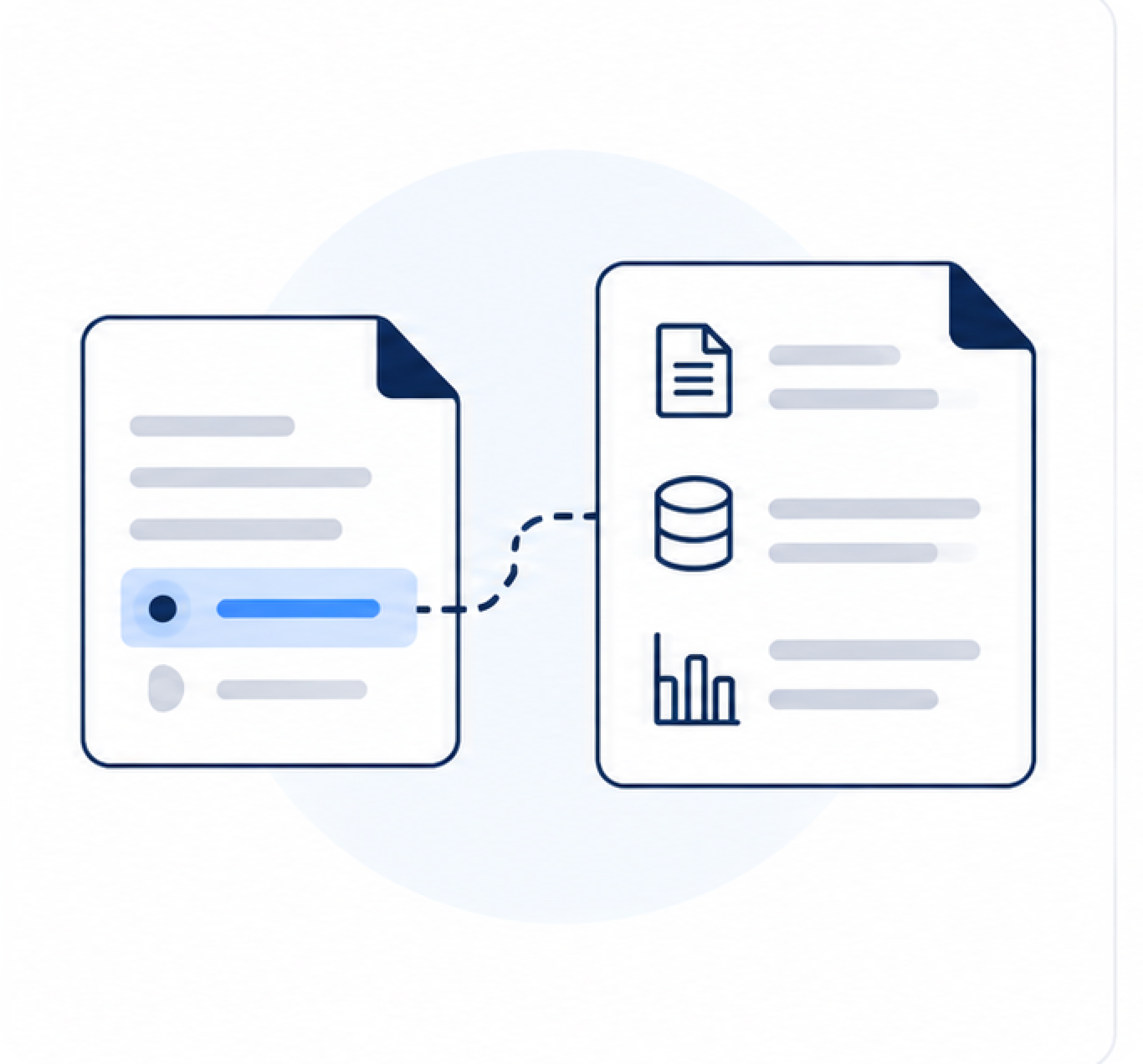
Compare the manufacturing diagram against BOMs, revisions, configurations, and other engineering data.
Deviation Resolution
Identify missing or conflicting information and determine the appropriate resolution.

Source Traceability
Show the source and evidence behind each finding or AI recommendation.
Interaction Workflow
Mapping How Engineers, AI, and Data Work Together.
I mapped the validation journey to define how engineers and AI interact across the primary flow and key exception scenarios, from data comparison and discrepancy detection to review, confirmation, and override.

The workflow illustrates one primary review process alongside four supporting scenarios: missing values, AI-confirmed suggestions, manual overrides, and re-review before submission. Bringing these together in a single map helped align product, design, and engineering before prototyping.
Design Advocacy
How I Proposed AX Principles to Build User Trust.
The development team initially focused on surfacing the AI result. I used three concepts to demonstrate why engineers also needed the source, reasoning, validation context, and clear paths when AI succeeds or fails.
01 · Contextual Feedback
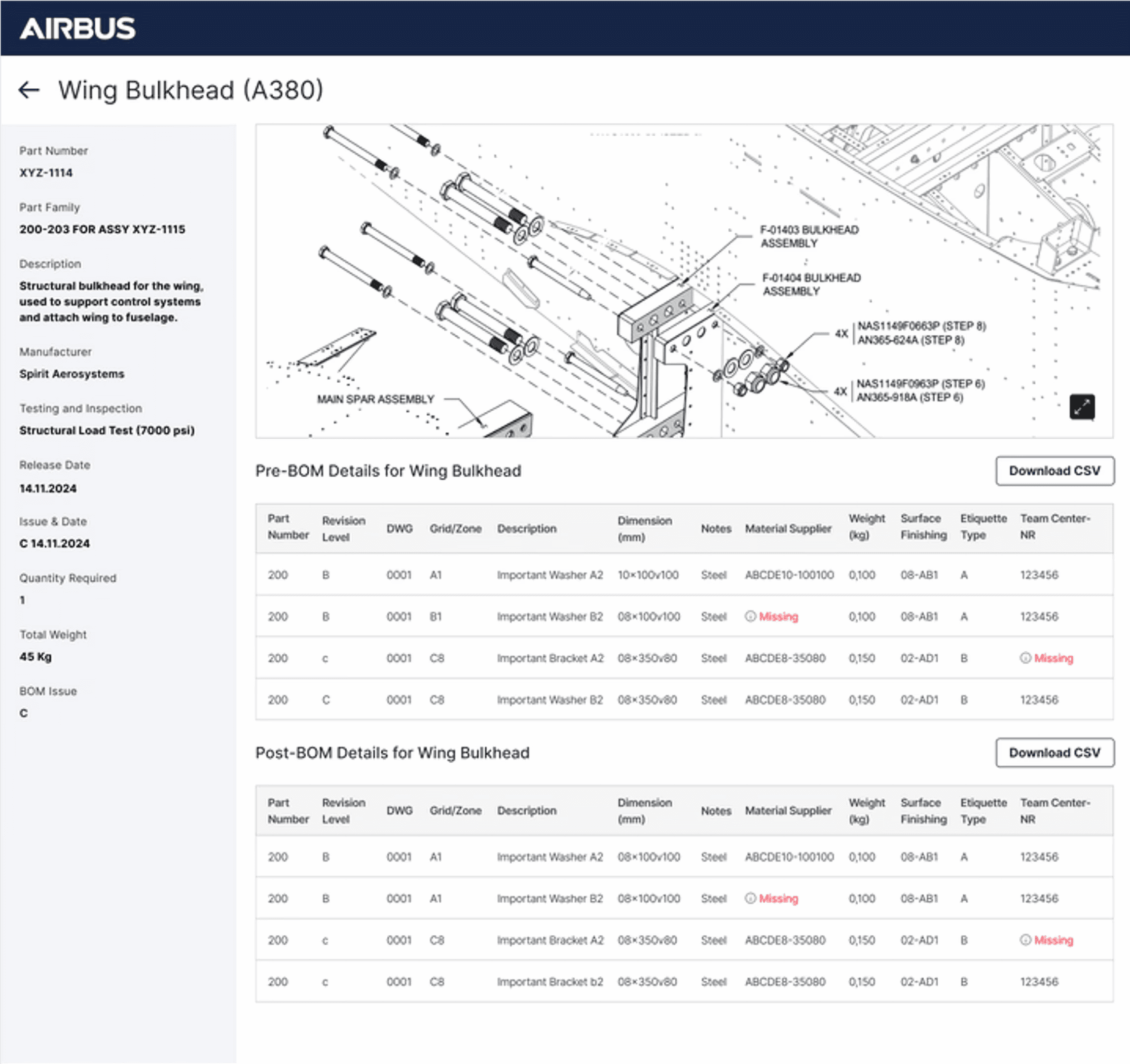
When the system detected a mismatch, such as a part number in the manufacturing diagram not matching the Bill of Materials (BOM), I highlighted the exact region in the diagram and displayed the conflicting BOM entry alongside it. Engineers could immediately validate the issue without searching through lists or switching screens.

02 · AI Transparency and Explainability
When the system automatically resolved missing information by retrieving data from another source file, I surfaced the action together with its source. Engineers could review, confirm, or reject the AI recommendation instead of relying on silent automation.

03 · Human AI Handoff
Instead of showing a generic "Needs Review" state, I displayed the validation steps performed, the data sources consulted, and why the issue remained unresolved. Engineers could continue from where the AI stopped instead of repeating the investigation.

Wireframe to High Fidelity
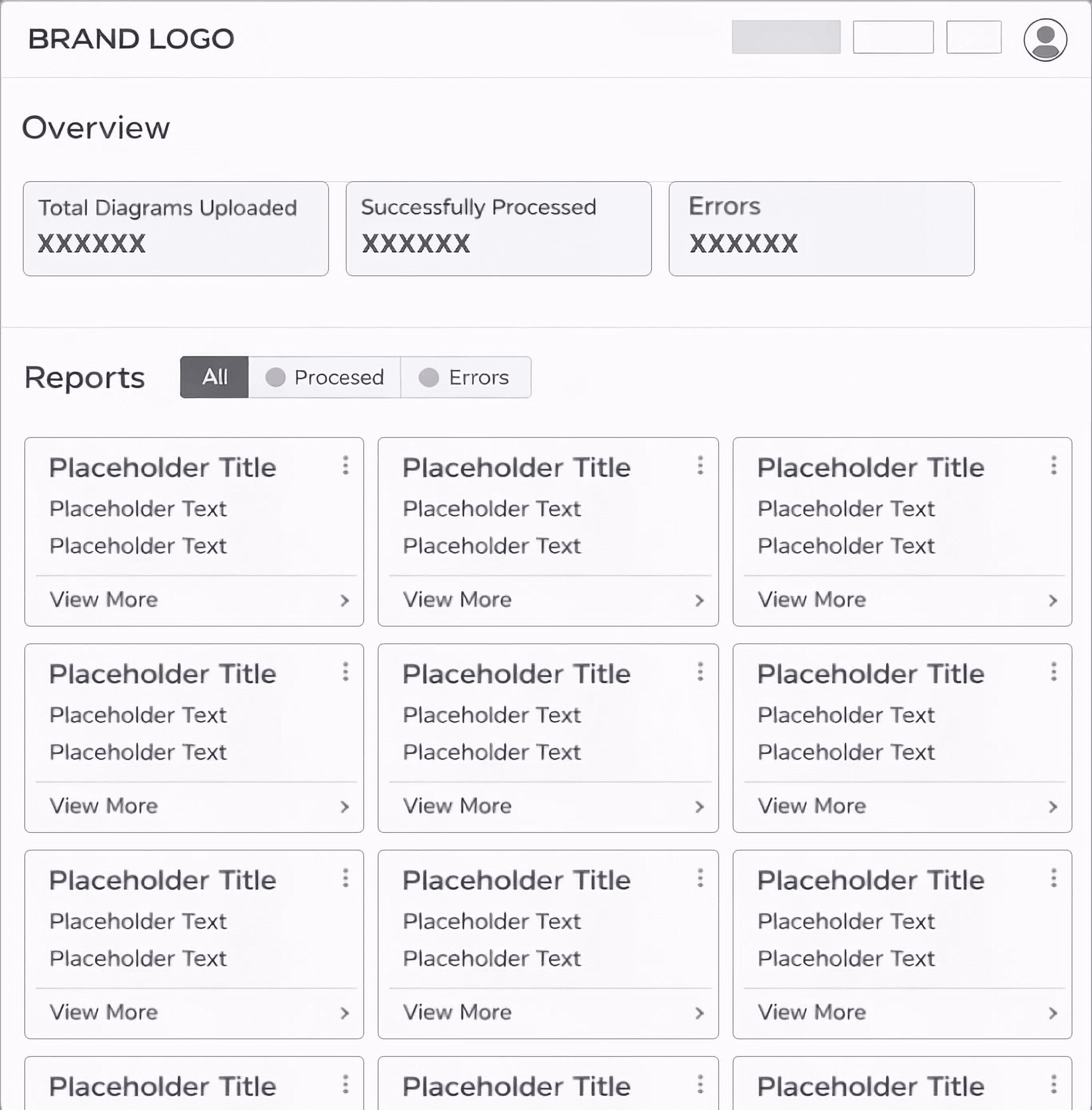
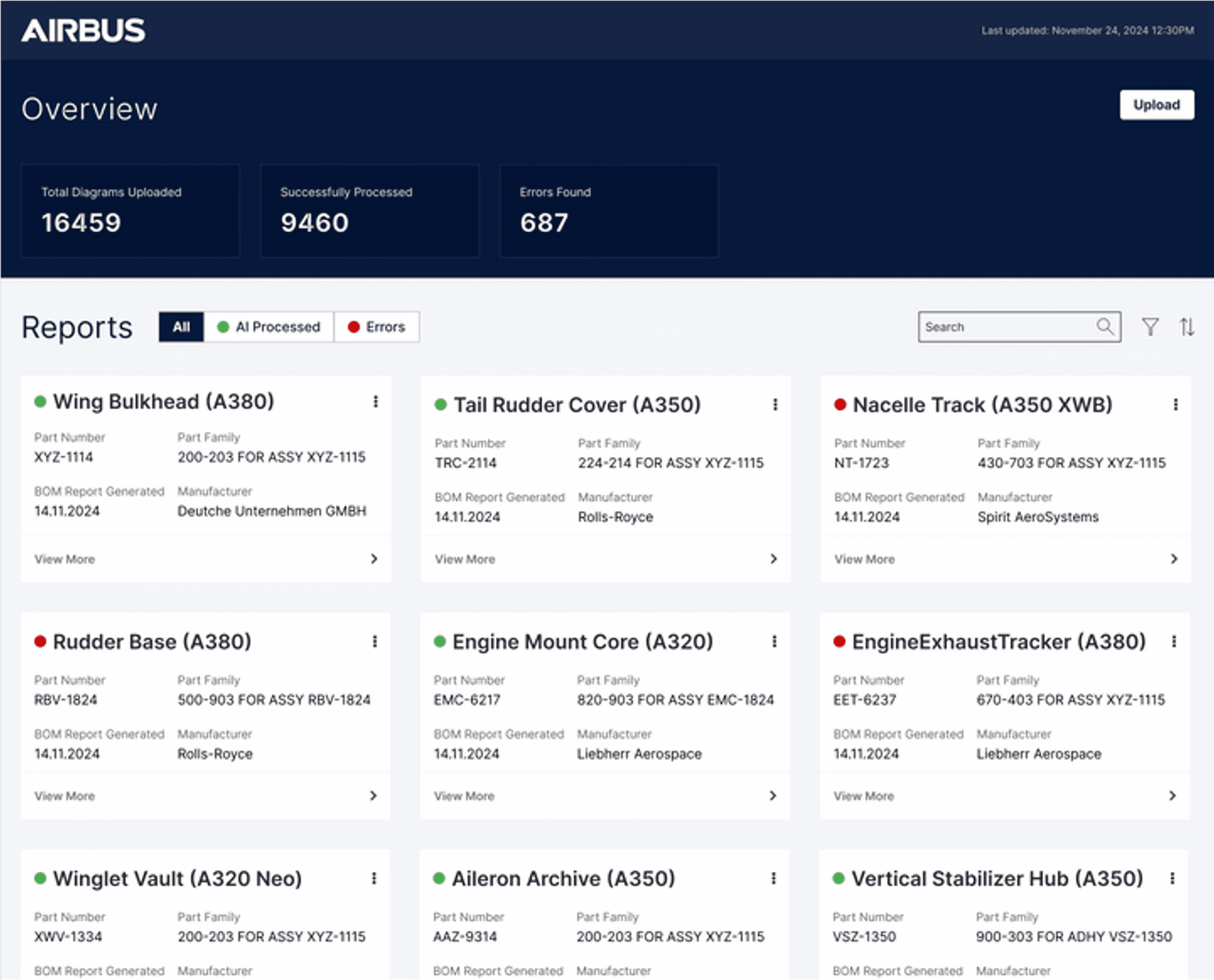
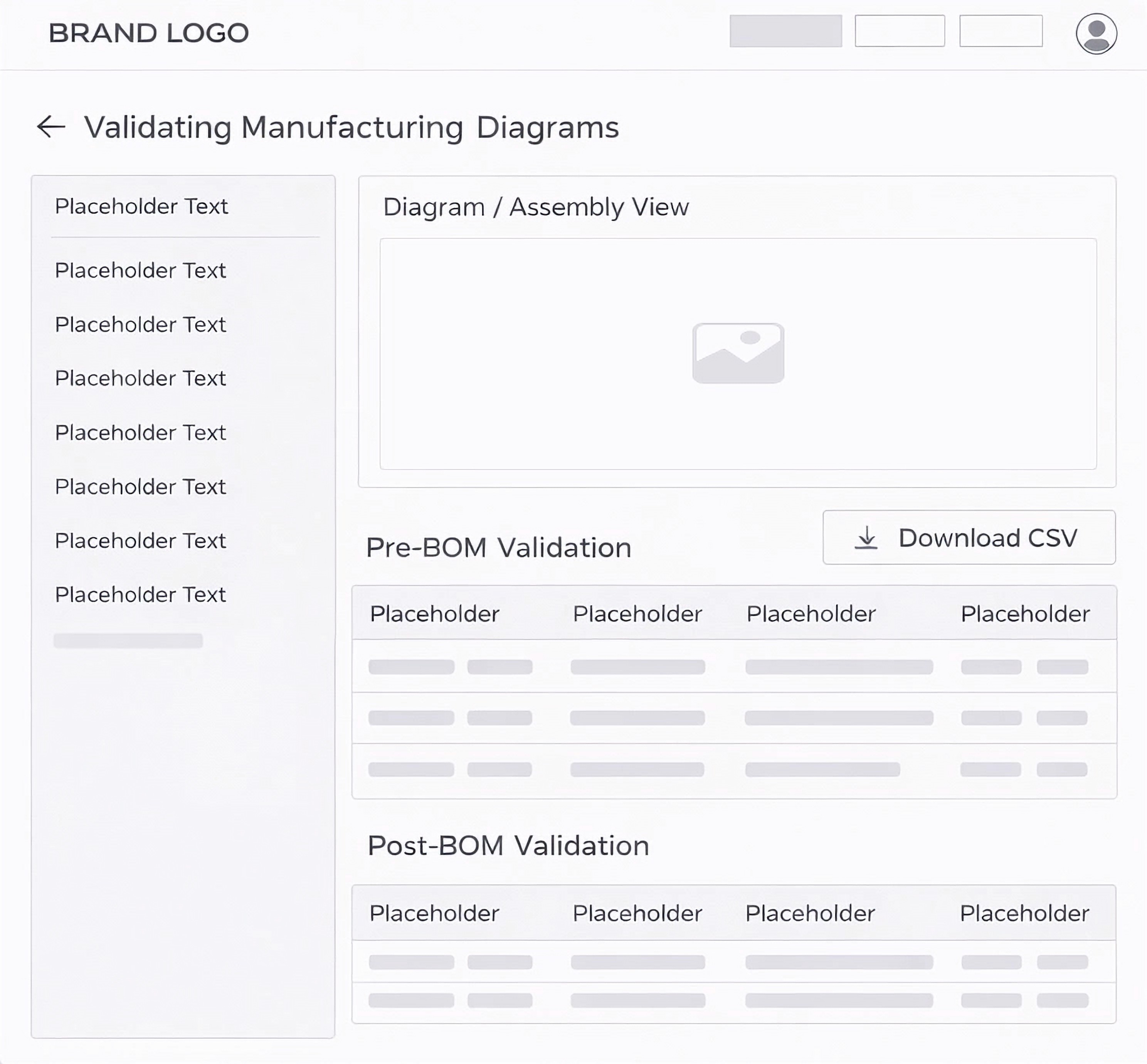
For this project, we began by creating quick wireframes to ensure alignment and shared understanding across the team. Once aligned, we developed high-fidelity Figma prototypes, all while keeping in mind the constraints of FlutterFlow, the no-code platform we used to deliver the final product. This ensured the design was both realistic and achievable from concept to final build.
Wireframe to High Fidelity
For this project, we began by creating quick wireframes to ensure alignment and shared understanding across the team. Once aligned, we developed high-fidelity Figma prototypes, all while keeping in mind the constraints of FlutterFlow, the no-code platform we used to deliver the final product. This ensured the design was both realistic and achievable from concept to final build.
Prompt to Code
For the project, we originally built it in FlutterFlow, but for the purpose of showcasing it in my portfolio, I created a working prototype using Claude.
Prompt to Code
For the project, we originally built it in FlutterFlow, but for the purpose of showcasing it in my portfolio, I created a working prototype using Claude.
Explore Other Client Projects


Reimagining Applications with AI
PitchHub
Google's sales enablement team creates hundreds of MVPs each quarter, demonstrating how Vertex AI integrates with diverse applications. As consultants, we ran a pilot project to prove we could take over this process, delivering scalable MVP development for Google.
Client
Google (Vertex AI – Sales Enablement Team)
Duration
2 weeks
Industry
AI & Cloud Computing
Scope of work
SaaS
AI-Driven
No-code

Validating Manufacturing Diagrams for Airbus.
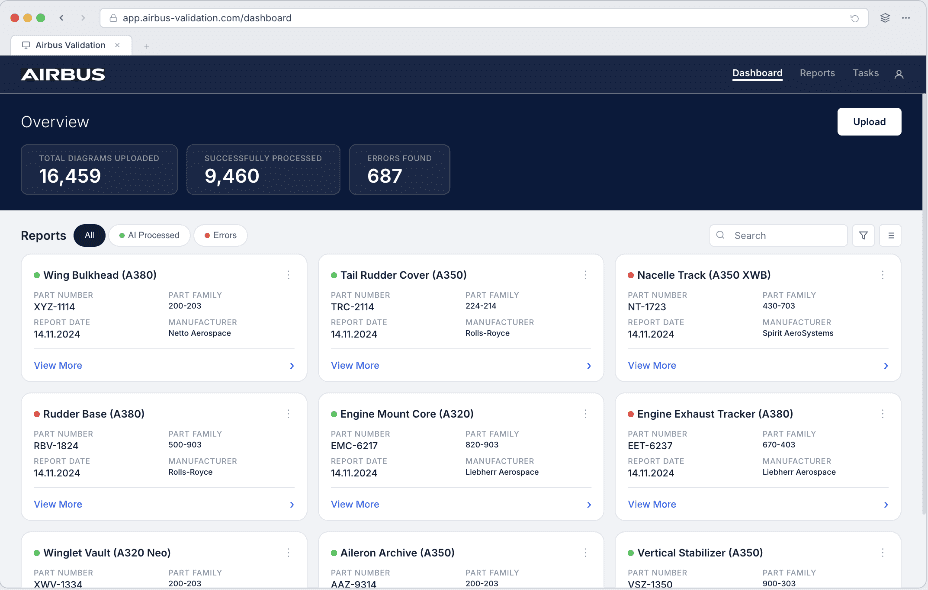
One of the key use cases to showcase Vertex AI’s real impact was with Airbus. We applied AI to streamline the validation of complex, legacy manufacturing diagrams. The system cross-referenced each diagram with the bill of materials and part data, automatically completing missing details. When gaps couldn’t be resolved, the AI clearly highlighted them on both the diagram and validation tables, ensuring accuracy, efficiency, and production readiness.
My Process
Working on rapid MVP builds meant balancing speed with clarity. My process moved from understanding requirements to validating storyboards with stakeholders, designing high-fidelity prototypes within FlutterFlow's constraints, and closing the loop with final reviews before handoff.
Requirement Analysis
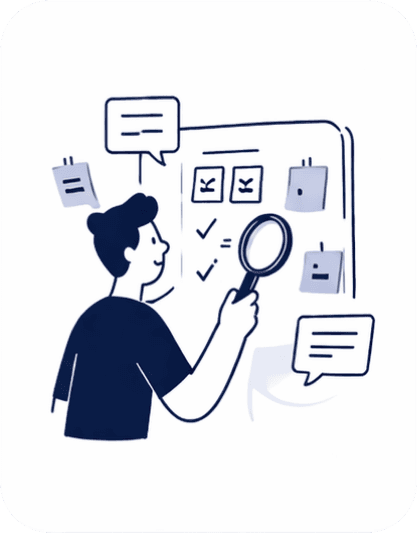
Reviewed requirement docs to understand goals, users, and constraints.
Storyboard Validation
Created and showcased storyboards to align on user flow and demo expectations
Prototype Design
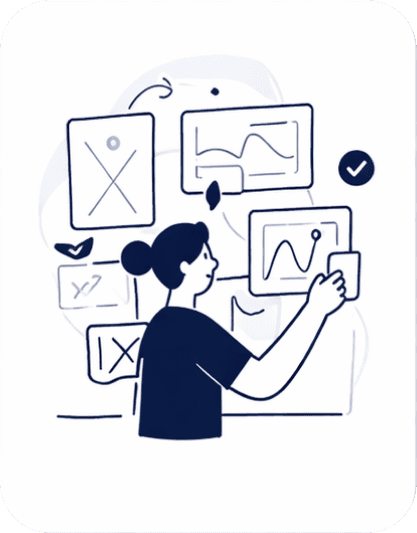
Designed interactive prototypes and collaborated with developers to build in FlutterFlow
Final Review & Sign-off
Conducted final walkthrough with stakeholders and incorporated feedback.
Storyboard
The storyboard was carefully designed to map out each step of the user's actions alongside the corresponding generative AI responses. At every stage, we outlined what the user would do and how the AI would assist, whether by validating data, completing missing parts, or highlighting gaps.
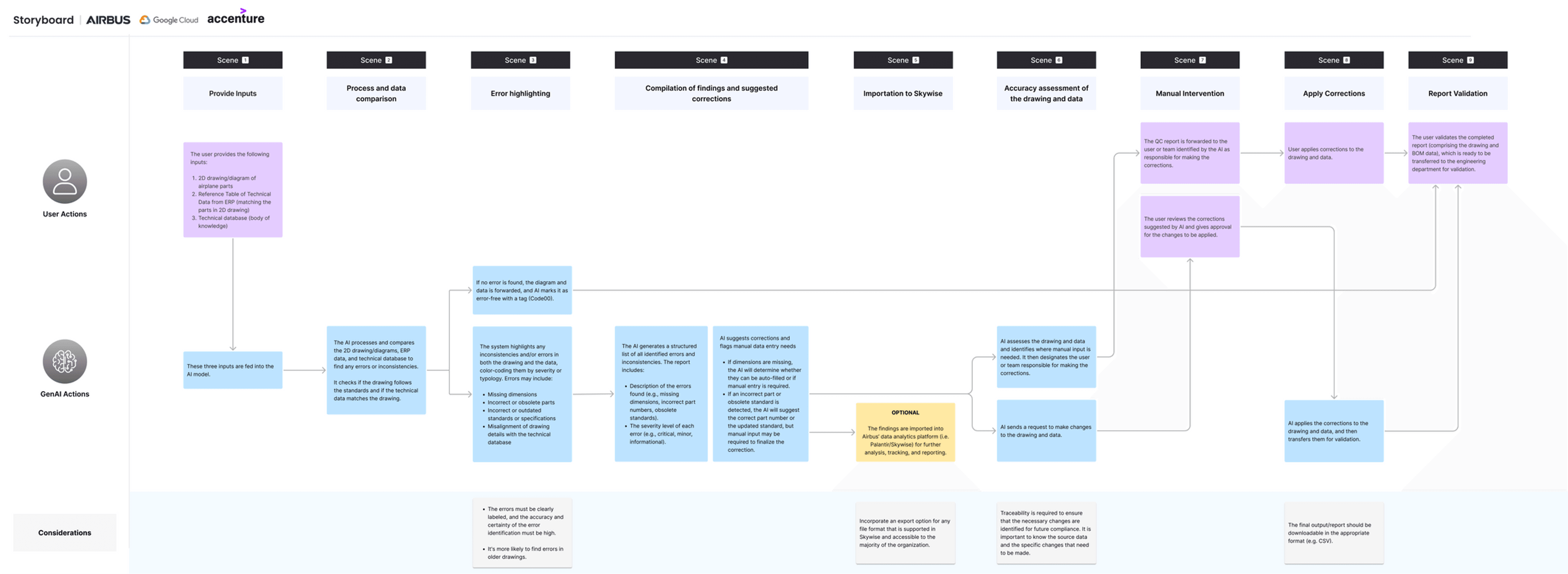
*Replica of the original project artifact, unchanged to reflect real delivery under time constraints. Use the custom zoom to view research text.
Wireframe to High Fidelity
For this project, we began by creating quick wireframes to ensure alignment and shared understanding across the team. Once aligned, we developed high-fidelity Figma prototypes, all while keeping in mind the constraints of FlutterFlow, the no-code platform we used to deliver the final product. This ensured the design was both realistic and achievable from concept to final build.
Prompt to Code
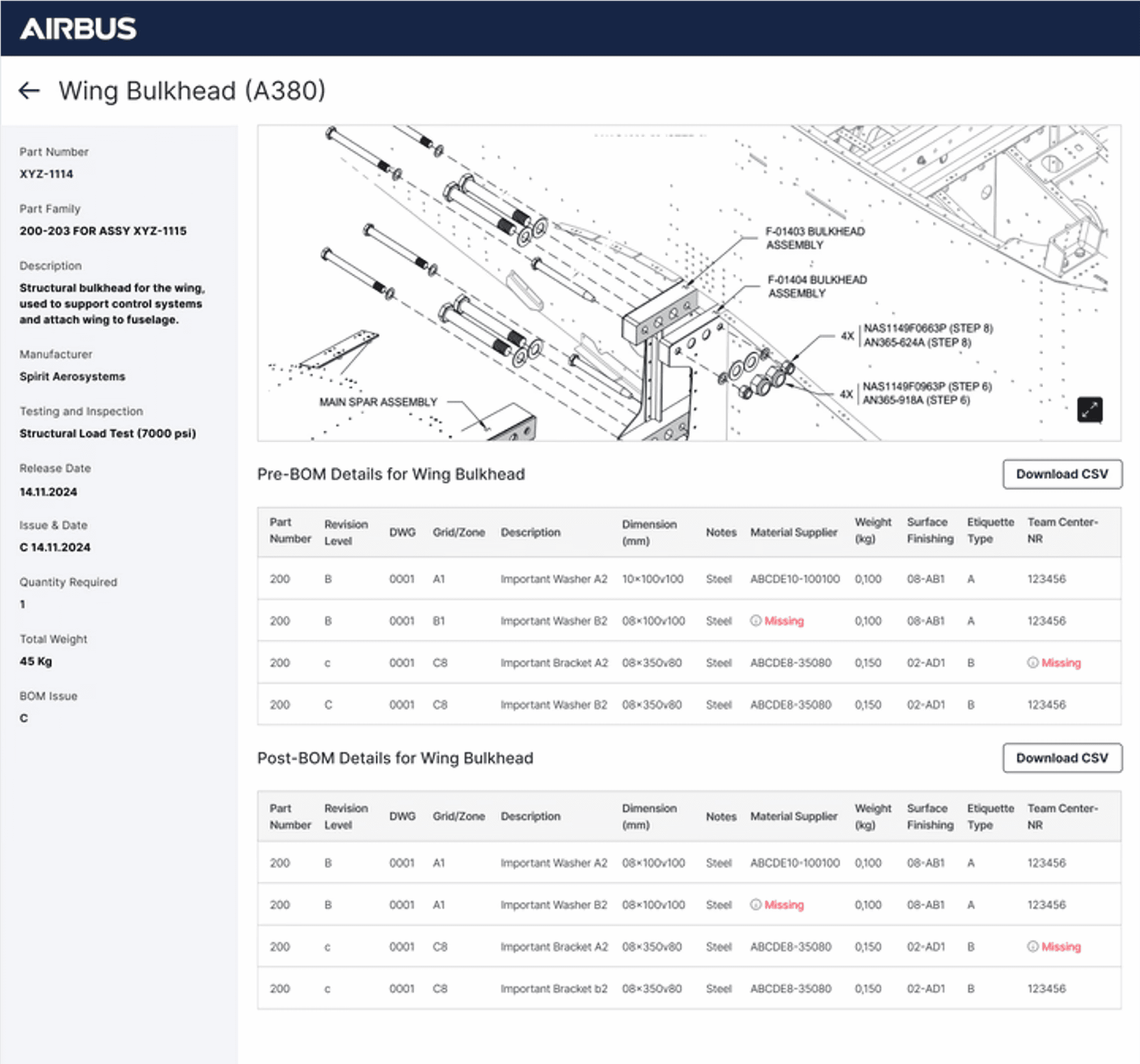
For the project, we originally built it in FlutterFlow, but for the purpose of showcasing it in my portfolio, I created a working prototype using Claude.
Prototype features & interactions
Filter Part Cards → Sort by AI processed, errors, or all.
Open Part Details → Click on any card to view detailed screen.
Upload Flow → Simulate uploading diagrams and BOM data.
Inspect Diagram → Identify AI-marked missing information.
Cross-Reference Tables → See issues mapped with reference IDs.
Scrollable Tables → Navigate Pre-BOM and Post-BOM data.
View Part Details Panel → Review part metadata in the side panel.
How I Built Trust in AI-Assisted Review Systems
Through stakeholder interviews and user feedback, I found that trust was the key adoption barrier. Engineers valued AI assistance, but only when they could understand its recommendations, validate its reasoning, and remain accountable for every decision.
01.
Principle: Contextual Feedback
Present AI feedback within the user's visual context and workflow.
How I applied it
When the system detected a mismatch, such as a part number in the manufacturing diagram not matching the Bill of Materials (BOM), I highlighted the exact region in the diagram and displayed the conflicting BOM entry alongside it. Engineers could immediately validate the issue without searching through lists or switching screens.
02.
Principle: AI Transparency and Explainability
Make AI decisions, actions, and reasoning visible to users.
How I applied it
When the system automatically resolved missing information by retrieving data from another source file, I surfaced the action together with its source. Engineers could review, confirm, or reject the AI recommendation instead of relying on silent automation.
03.
Principle: Human AI Handoff
Provide sufficient context when AI requires human intervention.
How I applied it
Instead of showing a generic "Needs Review" state, I displayed the validation steps performed, the data sources consulted, and why the issue remained unresolved. Engineers could continue from where the AI stopped instead of repeating the investigation.
04.
Principle: Human in the Loop Control
Ensure users retain final control over AI assisted decisions.
How I applied it
I designed Confirm and Override as equally accessible actions with an optional rationale field. This enabled quick validation while creating a feedback loop to improve future AI performance.
Measurable Impact
3.3X Faster
Faster turnaround validating complex manufacturing diagrams against the bill of materials — compared to the fully manual workflow.
DESIGN ADVOCACY
How I Proposed AX Principles to Build User Trust.
The development team initially focused on surfacing the AI result. I used three concepts to demonstrate why engineers also needed the source, reasoning, validation context, and clear paths when AI succeeds or fails.
01 · Contextual Feedback
When the system detected a mismatch, such as a part number in the manufacturing diagram not matching the Bill of Materials (BOM), I highlighted the exact region in the diagram and displayed the conflicting BOM entry alongside it. Engineers could immediately validate the issue without searching through lists or switching screens.
02 · AI Transparency and Explainability
When the system automatically resolved missing information by retrieving data from another source file, I surfaced the action together with its source. Engineers could review, confirm, or reject the AI recommendation instead of relying on silent automation.
03 · Human AI Handoff
Instead of showing a generic "Needs Review" state, I displayed the validation steps performed, the data sources consulted, and why the issue remained unresolved. Engineers could continue from where the AI stopped instead of repeating the investigation.
03 · Human AI Handoff
Instead of showing a generic "Needs Review" state, I displayed the validation steps performed, the data sources consulted, and why the issue remained unresolved. Engineers could continue from where the AI stopped instead of repeating the investigation.
Analysis
Three Core Requirements for the Solution.
The analysis distilled the recurring needs across the validation process into three essential pillars for the solution.
VALIDATE
Compare drawings, BOMs, revisions and configuration before flagging deviations.
VALIDATE
Compare drawings, BOMs, revisions and configuration before flagging deviations.
EXPLAIN
Show what differs, where it differs, and the relevant context behind the deviation.
EXPLAIN
Show what differs, where it differs, and the relevant context behind the deviation.
VERIFY
Show the source and evidence behind each AI recommendation.
VERIFY
Show the source and evidence behind each AI recommendation.